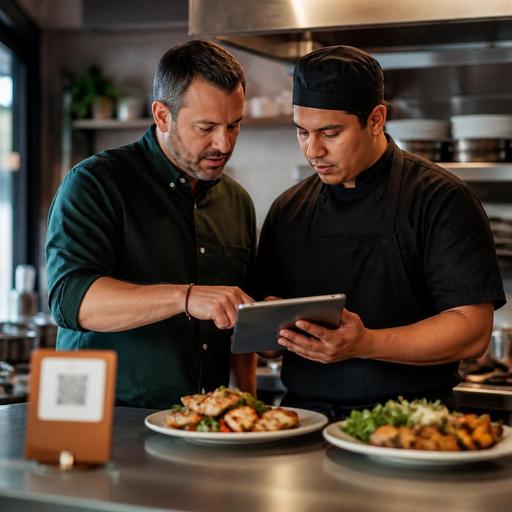
Organizing Allergen Notes in Digital Menus for U.S. Restaurants
Organizing allergen notes in digital menus for U.S. restaurants is not just a menu-writing task. It is an operations workflow that affects servers, cashiers, kitchen teams, takeout accuracy, and guest trust. For independent restaurants, clear digital allergen notes can help reduce confusion at the table, on QR menus, during direct online ordering, and at the pickup shelf. The goal is not to promise that every dish is safe for every guest. The goal is to present consistent information, make follow-up questions easier, and create a repeatable process your team can actually maintain.
Start with a kitchen-based allergen workflow, not a design project
Many operators begin by adding icons to the menu first. That usually creates gaps because the menu is only as accurate as the recipe information behind it. A better approach is to start in the kitchen and work outward.
Take a neighborhood burger restaurant in Ohio with dine-in, takeout, and delivery app orders. The team may know that the standard brioche bun contains wheat, milk, and egg, but the digital menu also needs to account for the fry seasoning, house sauce, and the shared fryer used for breaded items. A guest reading the menu online needs a clearer picture than a simple gluten-free or dairy-free badge.
Build one internal allergen reference sheet for every core menu item. Include:
- Base ingredients and major components
- Optional add-ons, substitutions, and modifiers
- Sauces, marinades, breading, garnish, and side items
- Shared equipment or shared fryer notes where relevant
- Recipe version date and who approved the update
This process matters even more for restaurants that change specials often, such as a farm-to-table bistro, a hotel restaurant with banquet crossover, or a food truck that rotates sauces weekly. If your kitchen changes ingredients but the digital menu stays static, the allergen notes quickly lose value.
If you operate in a chain or multi-location setting, standardizing recipes and naming conventions is even more important. A grilled chicken bowl should not carry one allergen note in Dallas and a different one in Phoenix unless the recipe truly differs.
Write allergen notes in plain language guests and staff can use
Independent operators often overcomplicate allergen communication with too many symbols or vague labels. Keep the guest-facing language direct. Guests should be able to scan a dish on a phone and understand what needs a second conversation with staff.
For example, a fast-casual salad shop in Illinois could list a Cobb salad with notes such as: contains egg, milk, and pork; avocado ranch contains egg and milk; fried onions contain wheat. That is clearer than a row of icons with no explanation.
Useful digital menu notes usually include three layers:
- Item-level notes for the standard build
- Modifier-level notes for sauces, buns, dressings, cheese, and substitutions
- Kitchen handling notes when cross-contact risk may matter to the guest
A practical example from a U.S. brunch cafe: the avocado toast may appear simple, but the bread contains wheat, the whipped feta contains milk, and the chili crunch may include sesame. If the guest removes feta, the menu should not still imply the dish contains dairy. That means your digital ordering flow needs allergen notes tied to modifiers, not only to the item headline.
Avoid absolute claims unless you have validated processes to support them. Phrases like allergen-free can create risk if your kitchen uses shared prep tables, shared tongs, or a common fryer. Operationally, it is safer to explain what the standard recipe contains and when guests should alert staff about allergies. Because food safety and disclosure expectations can vary, operators should verify current federal, state, and local guidance with qualified advisors or official sources.
Set up digital menus for QR ordering, takeout, and delivery workflows
Allergen notes should appear wherever the guest makes a decision, not only on the main dine-in menu. In U.S. operations, that usually means several ordering channels: QR ordering at the table, direct online ordering for takeout, curbside pickup pages, and third-party delivery apps.
Consider a suburban Mexican restaurant that uses QR menus for dine-in and offers direct pickup online. A guest may see that enchilada sauce contains dairy on the QR menu, but if the takeout ordering page does not show the same note, the information becomes inconsistent. The same problem can happen when a POS sync sends item names to a delivery marketplace but leaves out important modifier details.
Review these channels one by one:
- Dine-in QR menus: show allergen notes near the item and near key modifiers
- Direct online ordering: carry notes through customization screens before checkout
- Delivery apps: confirm what allergen fields, descriptions, and modifier text actually publish
- POS ordering screens: make sure cashiers and servers can quickly see important notes when entering a check
- Kitchen display system: pass allergy alerts clearly to expo and line cooks without burying them in long ticket text
For a coffee shop, this might mean showing that oat milk is available but baked pastries may be produced with common allergens in the same kitchen. For a pizza shop, it may mean connecting crust, sauce, cheese, and topping notes so staff can see the exact allergen profile of a custom pie on the kitchen display system.
ADA-minded access also matters. If guests are expected to review allergen notes on their phones, operators should think about readability, contrast, screen navigation, and whether staff can provide assistance or an alternative accessible format when needed. Accessibility expectations can depend on the situation, so it is wise to review current requirements with qualified advisors.
Train front-of-house and back-of-house teams on the same language
Even the best digital menu will not solve confusion if the server says one thing and the kitchen follows another workflow. The practical fix is to train staff on the exact language used in the menu system.
At a diner in New Jersey, a guest might ask whether the hash browns are gluten-free. The correct answer may depend not only on ingredients but also on whether the flat top or fryer is shared with breaded products. Staff should know where to check, how to mark the order in the POS, and when to involve a manager or chef.
Your training should cover:
- Where allergen notes live in the POS and digital menu dashboard
- How to handle guest questions beyond the published note
- How to ring in allergy-related requests so the kitchen sees them
- When to stop and verify with a manager, chef, or recipe reference sheet
- How to package takeout orders with allergy alerts visible to expo and pickup staff
This is especially important in high-volume formats like airport concessions, stadium venues, and QSR counters where ordering is fast and guest interaction is short. In those environments, concise standardized notes are more useful than long paragraphs no one reads during rush.
Create a maintenance routine so notes stay accurate over time
The biggest failure point is not setup. It is maintenance. Vendors change products, cooks swap ingredients, seasonal specials appear, and a new dessert gets uploaded to the online menu without anyone reviewing allergen notes.
Create a simple monthly or menu-change checklist:
- Review recipe changes and supplier substitutions
- Update digital menu descriptions and modifier notes
- Test QR ordering, direct ordering, and delivery listings
- Spot-check POS tickets and kitchen display allergy alerts
- Retrain staff on any changed items
A practical example: a bakery cafe switches brownie suppliers and the new product includes tree nuts. If the in-store team knows but the catering menu, direct online ordering page, and third-party delivery listing still use the old note, the operation now has a preventable communication gap.
For independent restaurants, the most effective setup is usually one central source of truth that feeds your digital menu, ordering channels, and service workflows. That reduces duplicate edits and lowers the chance that one channel falls behind another. Restomas can help operators keep menu information, ordering flows, and service updates more organized across channels.