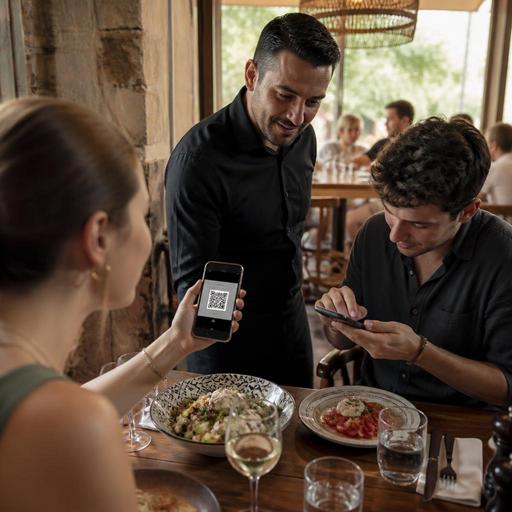
Multilingual QR Menu Best Practices: 10 Details Restaurants Must Get Right
A multilingual QR menu can do much more than translate dish names. When it is planned well, it reduces ordering friction, helps guests feel confident, lowers staff interruptions, and keeps menu updates consistent across languages. When it is handled poorly, it creates confusion at the table, slows service, and can even lead to wrong orders because guests and staff are looking at different information. For restaurants in tourist districts, airports, hotel zones, mixed-language neighborhoods, and destination dining areas, the details matter.
The goal is not to impress guests with technology. The goal is to make ordering easier in every language you choose to support. Below are ten practical details restaurant owners and operators should get right when building or improving a multilingual QR menu.
Start with language selection that feels effortless
The first few seconds matter. If guests scan a code and immediately face the wrong language, a cluttered landing page, or unclear buttons, many will hesitate or ask staff for help. That defeats the purpose of digitizing the menu experience.
Keep language selection simple and obvious. Use the language name written in its own language as well as in English where helpful. For example, showing Deutsch, English, Español, and Français is clearer than relying only on country flags. Flags can be misleading because one language may be used across many countries.
Good practice includes:
- Displaying the 3 to 6 most relevant languages for your actual guest mix
- Remembering the guest's selected language during the session
- Letting guests switch language without losing their place in the menu
- Keeping the menu homepage visually clean on mobile screens
If a family at one table uses two languages, they should be able to change language instantly without rescanning or starting over.
Translate for ordering clarity, not word-for-word accuracy
The biggest mistake in multilingual menu management is treating translation like a literal language exercise. Menus need to help people decide what to order. A technically correct translation can still be confusing if it does not reflect how diners understand dishes.
For example, a local specialty may need a short explanation rather than a direct translation. A dish like imam bayildi, molokhia, or çökertme kebab should keep its original name, but the description should explain the core ingredients and style in simple terms. Guests need to know whether they are ordering eggplant, greens, beef strips, yogurt, garlic, pastry, or a spicy stew.
Use plain, service-friendly descriptions. Avoid long chef language and avoid internal kitchen terms that only staff understand. Ask a practical question for each item: Would a first-time guest know what will arrive at the table?
A strong multilingual QR menu should also standardize these fields across every language:
- Dish name
- Short description
- Key ingredients
- Spice level where relevant
- Allergen information
- Add-ons or modifiers
If one language includes allergy details and another does not, the menu is not truly consistent.
Keep pricing, modifiers, and availability synchronized
One of the most common operational problems is inconsistency between languages. A guest sees one price in English, another in Arabic, and a different modifier structure in Russian. Staff then have to explain the mismatch or override the order manually.
Your multilingual menu should pull from one current source of truth for prices, item availability, and option groups. If grilled sea bass is sold out, it should appear unavailable in every language at the same time. If lunch pricing ends at a certain hour, that logic should apply everywhere.
This is especially important for restaurants with:
- Daypart menus such as breakfast, lunch, and dinner
- Seasonal items and market-price dishes
- Set menus with optional upgrades
- Multiple branches with different availability
- Frequent out-of-stock changes during service
Imagine a guest selecting a pasta in Italian with extra mushrooms and gluten-free penne, while the kitchen receives the modifier names in the staff language. That can work well only if the backend structure is organized carefully. The guest-facing language and the kitchen-facing operational language must connect cleanly.
Use photos, icons, and structure carefully
Visual support can help multilingual ordering, but only if it improves clarity. Too many photos, too many icons, or inconsistent category structure can make the menu harder to scan. Mobile usability should guide every design choice.
Photos are most useful for unfamiliar dishes, signature items, desserts, and combo meals. They are less useful when every item has a low-quality image that slows loading and distracts from reading. If you use icons for spicy, vegetarian, vegan, or popular items, make sure they mean the same thing in every language and appear consistently.
Clear structure matters even more than visuals. Categories should follow the logic of how guests order. For example:
- Start with bestsellers, featured dishes, or menu highlights
- Group by dining decision, such as starters, mains, sides, desserts, and drinks
- Keep modifier choices close to the item, not hidden several screens later
- Show essential details before the guest adds the item to the order
If your restaurant serves both tourists and locals, consider a short featured section such as First-Time Favorites or Local Specialties. This helps guests who may not know where to begin.
Plan for service, staff training, and real-world exceptions
A multilingual QR menu is not just a menu project. It is a service workflow project. Staff need to know what guests are seeing, how to assist when needed, and how to resolve exceptions quickly.
Train front-of-house teams on the menu in each supported language at a practical level. They do not need full fluency, but they should know how the categories are organized, what the translated dish descriptions say, and where common guest questions arise. For example, if guests often confuse sparkling water with tonic water in one language, the team should know that pattern and address it early.
Restaurants should also prepare for common exceptions:
- A guest's phone battery is low
- The Wi-Fi signal is weak in one section
- An older guest prefers a printed menu
- A child at the table needs a simpler visual menu
- A translation error is discovered during service
For these situations, keep a backup process. That may mean a small number of printed menus, a staff device for assistance, or a quick internal method for disabling or editing an item. Digital convenience works best when the restaurant is ready for analog moments too.
Ten details to review before going live
- Use language names, not only flags
- Write descriptions for guest understanding, not literal translation
- Keep allergens consistent across all languages
- Sync prices and stock status from one source
- Make modifiers easy to understand and select
- Use photos only where they help decisions
- Test the menu on different phone sizes
- Check loading speed on mobile data, not just Wi-Fi
- Train staff on likely guest questions in each language
- Set a routine for updating translations when the menu changes
The strongest multilingual QR menus are not the ones with the most languages. They are the ones that remove uncertainty from the ordering journey. A concise, accurate menu in the right languages will usually outperform a larger but inconsistent setup.
For operators, the long-term win is not only better guest experience but also better control. When menu content, availability, and updates are managed centrally, it becomes easier to maintain standards across shifts, branches, and seasons. Platforms like Restomas can support that process by helping restaurants manage QR menus, updates, and service flows in one place.